PsyEntry Download
Features

Clinical documentation
in one workspace.

See the note templates, Session Mode, supported assessments, calendar, plans, practice activity, search and backup tools included in PsyEntry 1.0.

NotesSession Mode AssessmentsScheduling Plans & historyInsights BackupSearch
01 · Notes

Eight structured note templates

Four of them are the formats a supervisor will recognise on sight. Each note is organised as Context → Narrative → Review, so the structured fields are gathered before you write and checked after.

SOAPfour sections
SSubjective
OObjective
AAssessment
PPlan
DAPthree sections
DData
AAssessment
PPlan
+Session snapshot
BIRPfour sections
BBehaviour
IIntervention
RResponse
PPlan
GIRPfour sections
GGoal
IIntervention
RResponse
PPlan
Optional structured context Pulled from the plan and the appointment, never invented.
Appointment-linked session snapshot Treatment-plan diagnoses Goals & goal progress Interventions Mental-status observations Risk review Medical necessity Follow-up
02 · Session Mode

A focused field for live notes

Session Mode keeps brief observations, client statements and follow-up cues in one field. Changes autosave to an encrypted draft and return after a restart. You decide what moves into the final note.
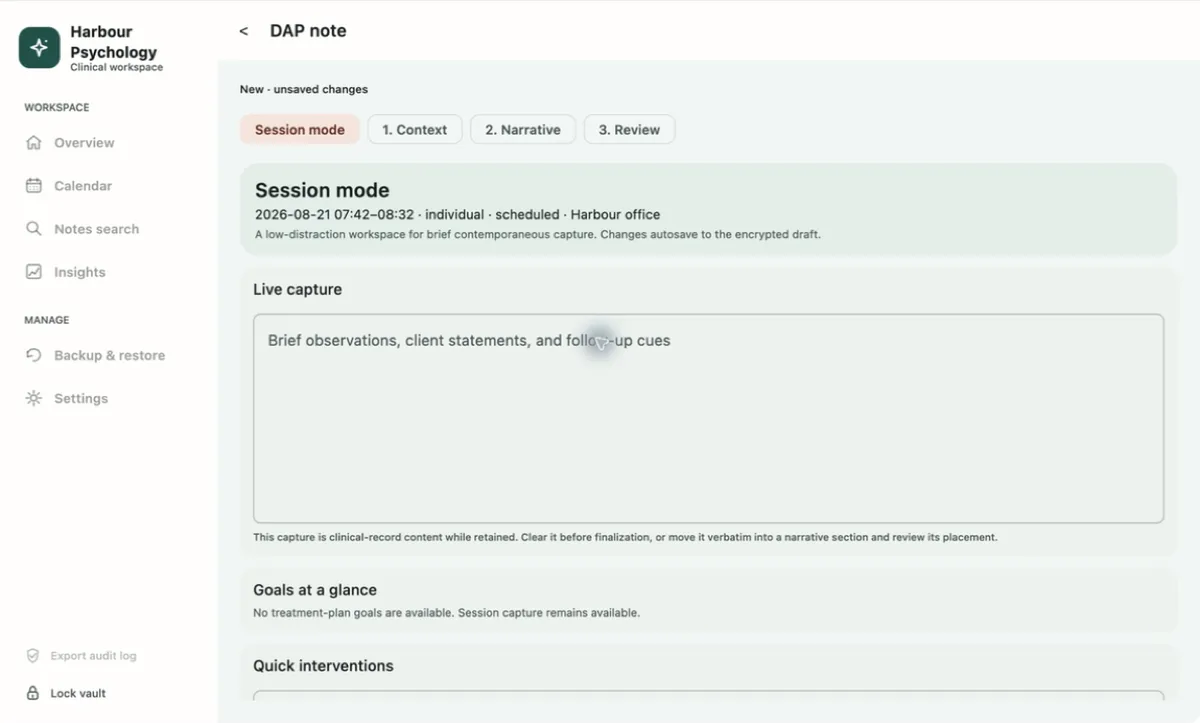
Goals at a glance, pulled from the active treatment plan
Quick interventions and a risk glance without leaving the pane
Transfer is verbatim into a section you pick — never auto-placed
DAP note — Session mode
Session Mode: a live capture field above goals, quick interventions and risk glance
03 · Assessments

Four supported assessments

PsyEntry includes PHQ-9, GAD-7, PCL-5 and C-SSRS. Scoring happens locally and results remain subject to clinical judgement.

Severity bands as the instrument defines them Totals are computed locally; nothing is transmitted for scoring.
PHQ-9 · depression0 – 27
0–45–910–1415–1920–27 MinimalMildModerateMod. severeSevere
GAD-7 · anxiety0 – 21
0–45–910–1415–21 MinimalMildModerateSevere
PCL-5 · PTSD symptom checklist0 – 80
provisional cut-point 0 Total symptom severity — interpreted with clinical judgement, never alone
C-SSRS · screener with triage points Since last contact. Escalation is built into the flow, not left to memory.
Ideation items 1–2 wish to be dead · active thoughts No to both record and continue Yes to either continue items 3–6 Triage point reached behaviour item 6 · past 3 months Safety plan prompted, in the record append-only history · reviewable · never silently replaced

Only the four assessments listed on this page are enabled in PsyEntry 1.0.

04 · Scheduling

Calendar and documentation status

The calendar shows scheduled sessions, recorded outcomes and whether a note has been completed.
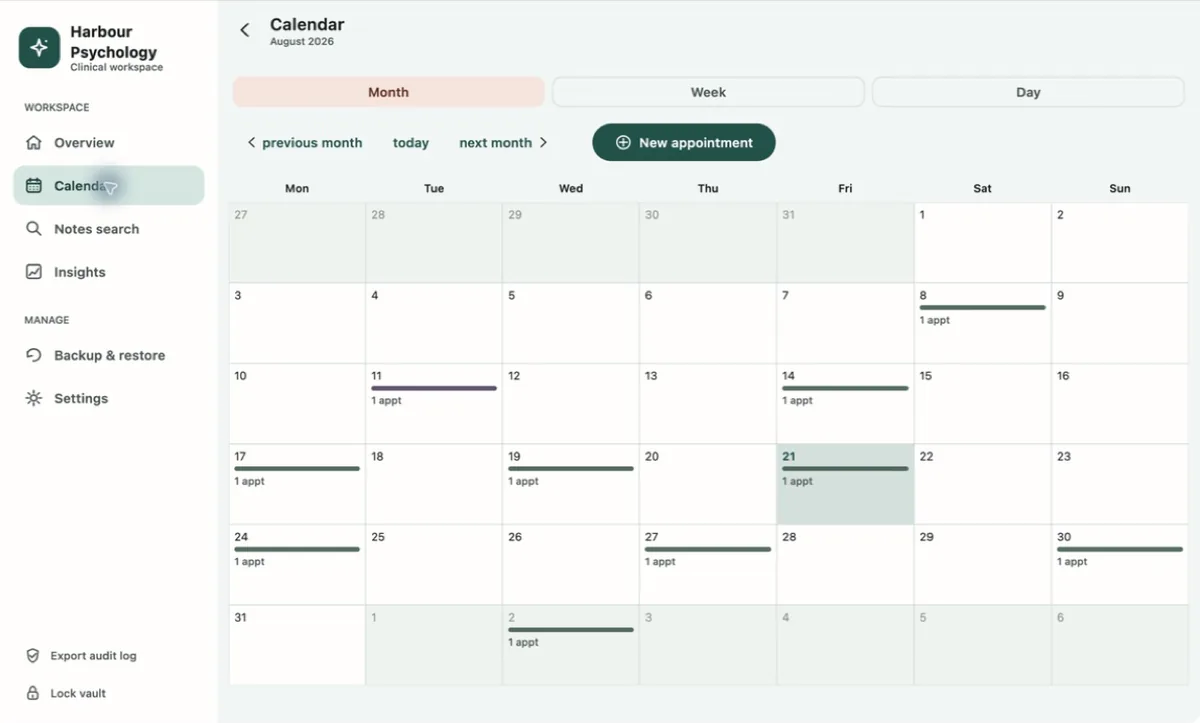
Calendar — Month view
PsyEntry month calendar with appointment markers

Three views, one preference

Choose month, week or day. PsyEntry remembers the last view you used.

Documented-session recognition

Open an appointment that already has a note and PsyEntry says so, instead of quietly starting a second record for the same hour.

Outcomes drive the numbers

Attended, no-show, cancelled. Until one is recorded, the session simply does not appear in an attendance rate.
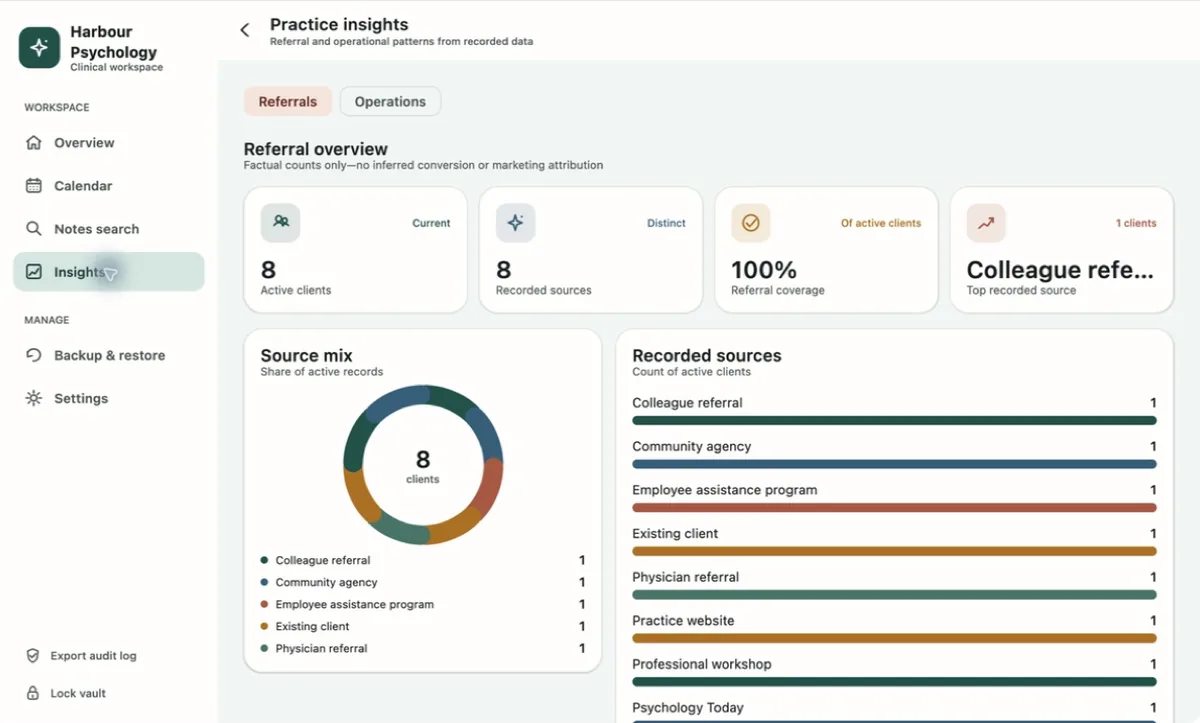
Practice insights — Referrals
Referral overview with source mix donut and recorded source counts
05 · Insights

Practice activity from recorded data

Review referral sources, attendance, busy days and common start times. These are counts from saved records, not predictions or marketing attribution.

Referral coverage across active records
Busiest weekday and peak start hour, in local time
Rolling 30-day, 90-day and 12-month windows
06 · Workspace

Your practice name
on your workspace.

Set the display name and logo shown in the workspace header. It is stored locally in plaintext and travels inside a portable backup — the installed app and the locked-vault screen stay PsyEntry, so nothing about a client is implied before the vault is open.
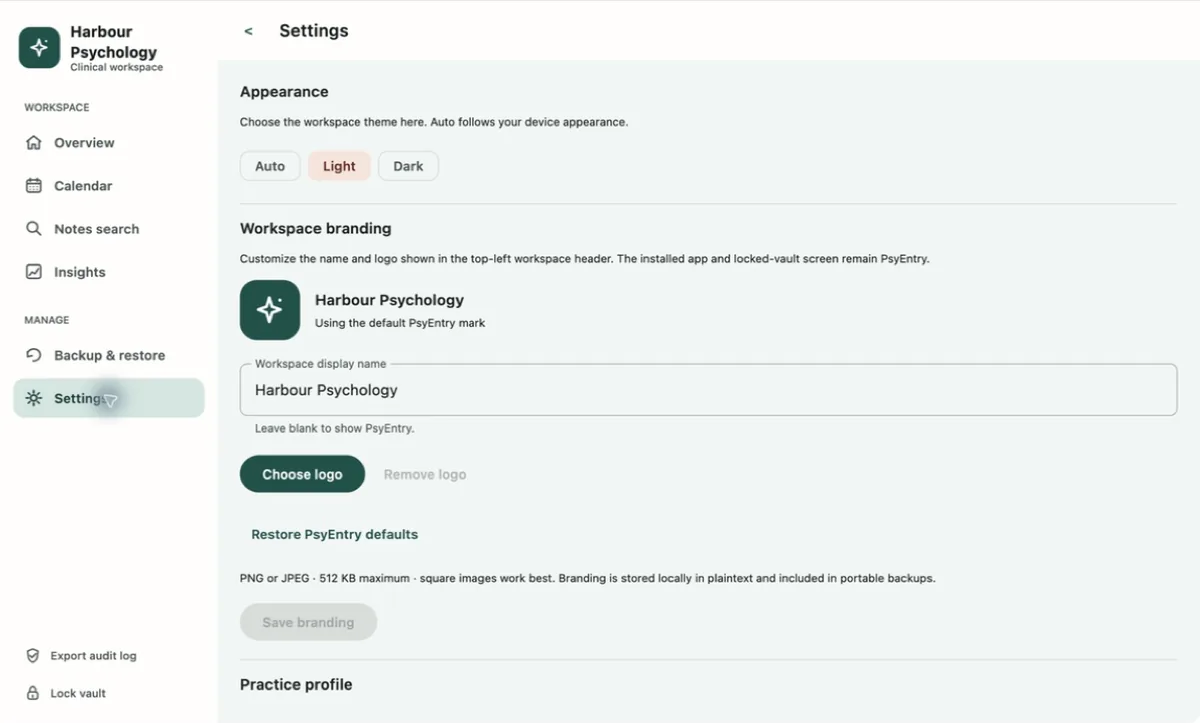
Appearance follows your computer Auto, Light or Dark. The preference is written to local settings before the theme changes, and concurrent selection is disabled while it commits.
Settings — Appearance & branding
Settings: appearance theme choice and workspace branding
07 · Search & exports

Export when you choose

Local notes search

Search runs against the local vault, including structured context and finalized history.

Plain-text reports

Plain-text exports include a privacy warning. PsyEntry records when an export starts and whether it finishes.

Support report

A fixed-field diagnostic with no clinical content, identifiers, record counts, paths, logs or exception text — so you can ask for help without disclosing anything.

PsyEntry works offline.

The live vault stays on your computer and does not require an Ownerstate account.